
Today a customer wanted SSH by default on for specific reasons and didn’t like the yellow warning on their ESXi servers. This is how you disable this :
First enable SSH :
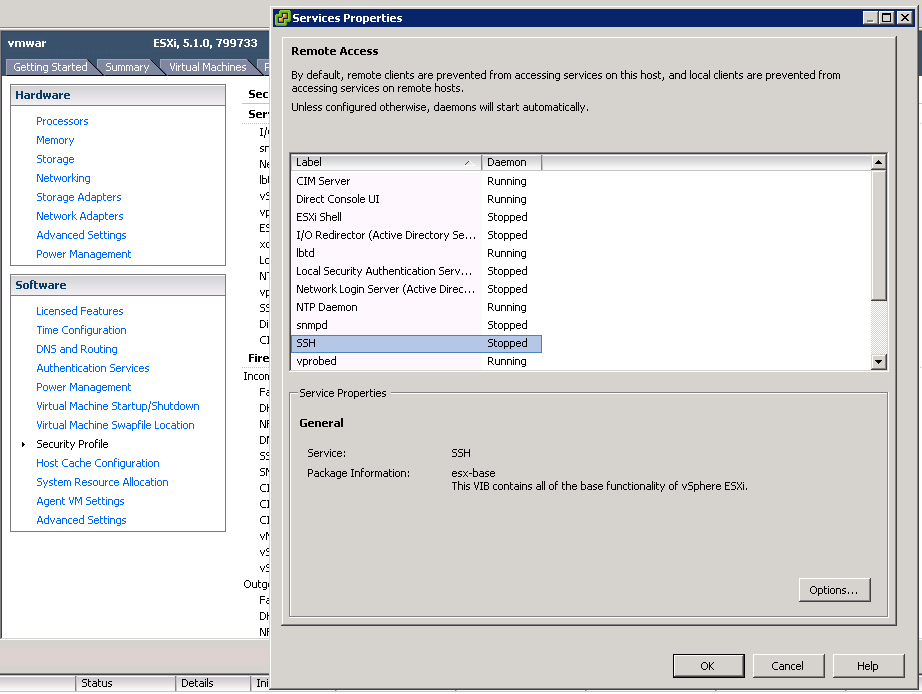
Go to Security Profile –> SSH –> options and enable it.
Notice that now you have a yellow warning neir your hosts :

Now this is how you can disable the warning :
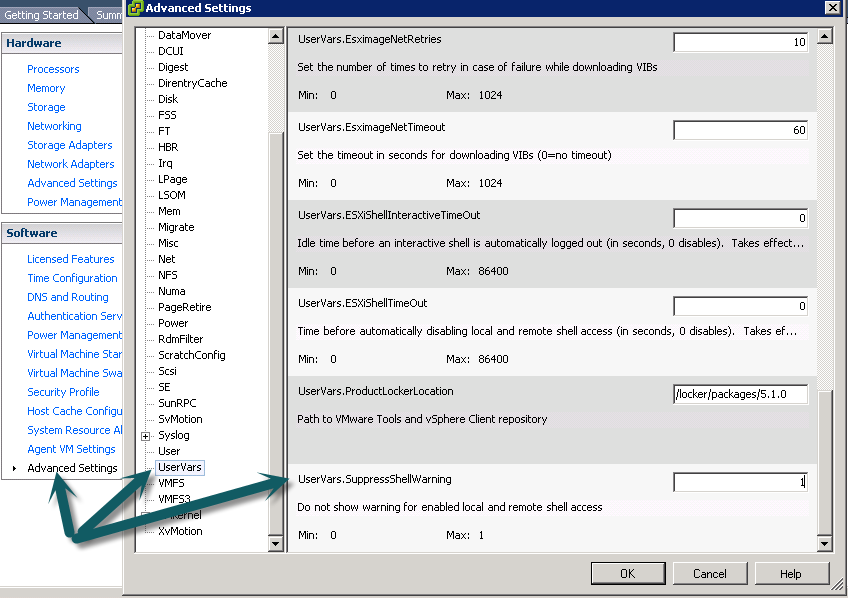
Go through Advanced Settings –> UsersVars –> SuppressShellWarning and change the value from 0 to 1
Notice the warning sign is gone :

You can also use the CLI :
|
1 |
esxcli system settings advanced set -o /UserVars /SuppressShellWarning -i 1 |
