
Follow these steps to create a bootable USB installer.
Download Rufus here. You might also want to download the ESXi installer here. Now connect the USB drive to your computer and open rufus :
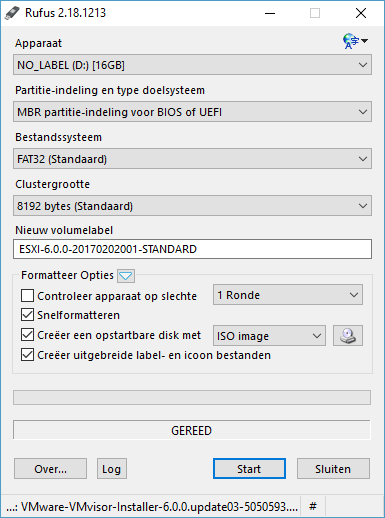
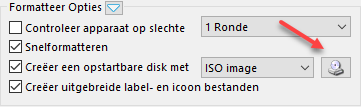
Select your VMware ESXi ISO image :
Leave all the default settings to default and click Start! Now you’re all done!
