vWorld

vWorld – Oude Doesburgseweg 89C6901 HH Zevenaar – info@vworld.nl – Kantoor: 0316-798037 – Because it’s a virtual world!

Unable to connect to share (System error 1272)

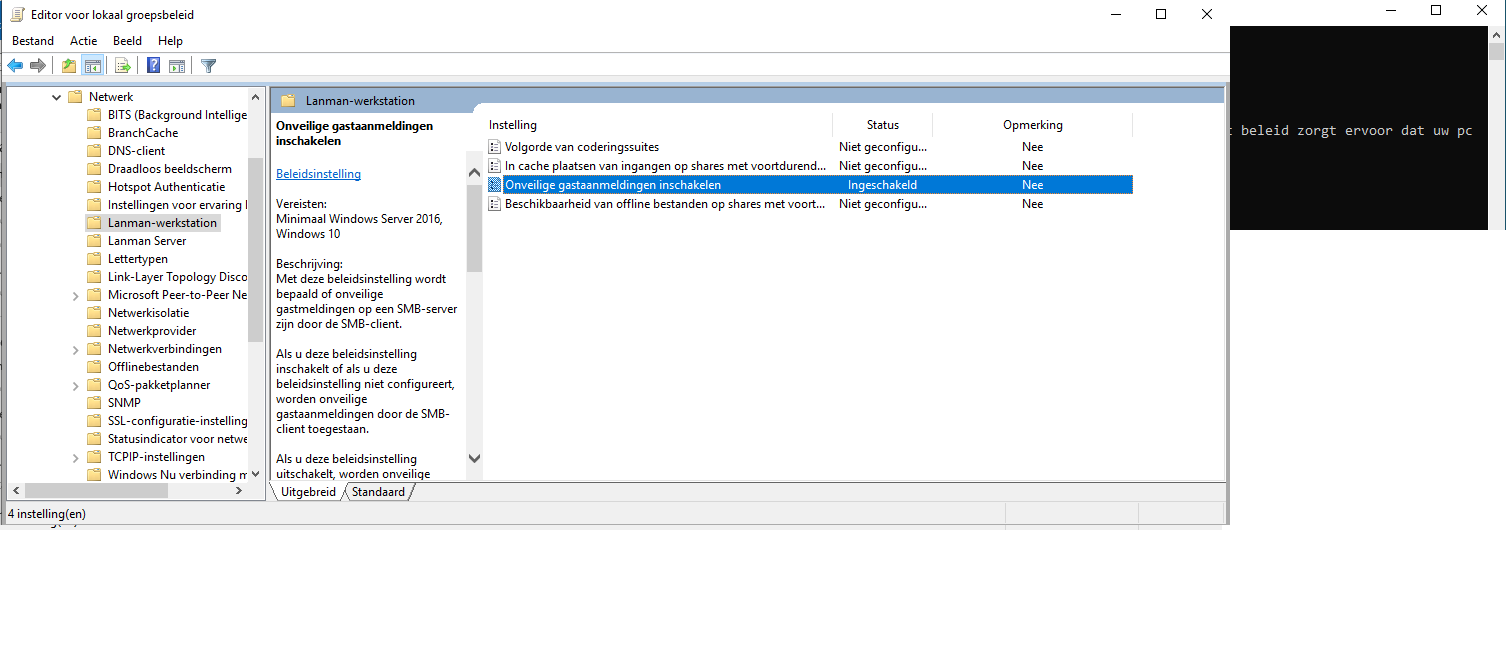
I noticed that I ran into a system error 1272 error to connect to a share residing on my NAS.  In Windows 10, version 1709 and higher (also Windows Server versions 1709 and higher) SMB2 guest access is disabled by default. SMBv2 has the following behavior in Windows 10, version 1709, Windows Server version 1709, and Windows Server […]

Lees verder… from Unable to connect to share (System error 1272)

How to enable GPEdit.msc in Windows 10 Home Edition

By default gpedit.msc is not enabled on Windows 10 Home (inclusing 7/8.1 editions). The good news it’s possible to enable this feature.

Copy the above code to a batch script / powershell and execute it with administrative rights. After executing I advice you to reboot. After rebooting you notice that gpedit.msc is now working […]

Lees verder… from How to enable GPEdit.msc in Windows 10 Home Edition

Script to clear browsing history and cache for IE, Firefox and Chrome

Recently I wrote a couple of scripts to clear the browsing history and cache for IE, Firefox and Chrome Internet Explorer (Powershell)
Firefox (batchfile)

and Chrome (batchfile)

[…]

Lees verder… from Script to clear browsing history and cache for IE, Firefox and Chrome

How to fight Ransomware using Backup Technology

With the amount of ransomware cases seeming to increase every day this is coming more and more a problem. Ransomware cost hundreds of millions in damages worldwide en is increasing rapidly. Modern total data protection solutions take snapshot based incremental backups on frequently based. if your business suffers a ransomware attack, this technology allows you […]

Lees verder… from How to fight Ransomware using Backup Technology

Top tip: Linux security & auditing tool Lynis

For my work I often deploy Linux VM’s. I use Lynis for checking my system for security isssues en baseline(s).  Lynis is a security auditing tool for UNIX derivatives like Linux, macOS, BSD, Solaris, AIX, and others. It performs an in-depth security scan. Extensive reports in HTML and TXT are delivered. The company behind Linus […]

Lees verder… from Top tip: Linux security & auditing tool Lynis

NITCtxPatcher a patchmanager for Citrix XenApp and XenDesktop 7.x

CtxPatcher is a tool for downloading (and installing) updates for Citrix products. Just install the tool using next-next-next and enter your MyCitrix account details : Select the products, hit search and all available patches are ready to download. When you download the patches a install script is also created for easy installation:   Requirements Windows […]

Lees verder… from NITCtxPatcher a patchmanager for Citrix XenApp and XenDesktop 7.x

How to protect your Linux server using iptables

In this post I will describe how to configure the basic Linux firewall IPTABLES. Using iptables you can easily protect your server from intruders. Nowadays many people are hosting virtual machines on Linux (for example for hosting purposes). Ofcourse you can configure an external firewall, but you can also use the internal firewall (the Linux […]

Lees verder… from How to protect your Linux server using iptables

Updating mailcleaner.org (updated post)

I use the mailcleaner community version for anti spam/virus. Mailcleaner is an Linux appliance that’s easy to set up and configure. The community version is free of charge and can be used to block spam and viruses before they enter your mailserver (for example my Exchange servers). When you have any questions or want to […]

Lees verder… from Updating mailcleaner.org (updated post)

Unable to manually install Windows Updates (WSUS)

Sometimes you don’t want to wait/rely to your WSUS environment for specific updates. But when you try to install updates manually you might notice the following message : It’s easy to go around this, you copy/paste the following code into a reg file : Windows Registry Editor Version 5.00 [HKEY_CURRENT_USER\Software\Microsoft\Windows\CurrentVersion\Policies\Explorer] “NoDriveTypeAutoRun”=dword:00000095 “NoWindowsUpdate”=dword:00000000 “NoAutoUpdate”=dword:00000001 When you […]

Lees verder… from Unable to manually install Windows Updates (WSUS)

How to : Request (or renew) SSL certificate for Webinterface

This is how you request and install (+bind) a SSL certificate for example Citrix Webinterface. Before you start you must now the external DNS name of your webinterface. In this case I use portal.company.nl Test to make sure the webserver is responding and the firewall is configured. You notice a SSL warning/error. Something like this […]

Lees verder… from How to : Request (or renew) SSL certificate for Webinterface