
Azure Automation State Configuration is an Azure service that allows you to write, manage and compile PowerShell Desired State Configuration and assign them to target nodes. Just like in an on oremise environment you can easily manage (virtual) machines running on Azure and also On Premise.
Using DSC it’s possible to set an (security) baseline to all your virtual machines. In this blogpost I describe how to enable specific ports from the Windows Server firewall.
Here is an example of a configuration file I use. As you can see I’m making use of the xNetworking module.
|
1 2 3 4 5 6 7 8 9 10 11 12 13 14 15 16 17 18 19 20 21 22 23 24 |
Configuration FirewallExample { Import-DscResource -ModuleName 'xNetworking' Node localhost { xFirewall FW-EXAMPLE-P80 { Name = 'EXAMPLERule Port 80' DisplayName = 'EXAMPLE Rule Port 80 (TCP-in)' Action = 'Allow' Direction = 'Inbound' LocalPort = ('80') Protocol = 'TCP' Profile = 'Any' Enabled = 'True' } } } |
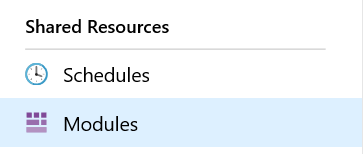
First you have to import the xNetworking module to Azure. Therefore go to your automation account. Go to Shared Resources, Modules and select Modules :
Notice the Browse gallery in the upper pane :

Now import the xNetworking module,
Now you can the add the code above to open a firewall port. In my example I opened (incoming) port 80.
There are several options although. You can find more information here.
You can use the following command’s on your node to update the configuration :
|
1 |
Update-DscConfiguration -Wait |
(This command checks the pull server for an updated configuration and applies it)
|
1 |
Start-DscConfiguration -UseExisting -Verbose -Wait |
(This command applies the configuration to the node)
